
Maps Navigation
for Pebble
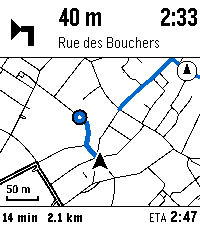
Google Maps walking and cycling directions on a Pebble Time 2, with a map of where you are and where the next turn is.
Android only, and it needs the Pebble app. Free and open source under the EUPL.
Maps Navigation needs new maintainers. If you would like to help maintain it or take it over, open an issue.
What it looks like
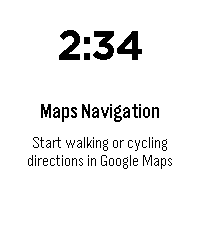
The watch screens are the real thing at 200 by 228, the size of a Pebble Time 2.
How it works
Google Maps has no API for the route it is giving you, so the companion reads the navigation notification and rebuilds the picture itself.
The turn comes from Google
The manoeuvre icon, the distance and the street name are lifted straight from the navigation notification, so they are always what Google is telling you.
The map is drawn on the phone
OpenStreetMap vector tiles are decoded and drawn heading-up in four colours, then streamed to the watch in chunks as large as it will take, up to 8 KB.
The route is reconstructed
From "in 200 m, turn left onto Rue X" it searches the road network ahead of you for a way of about that length ending on that street, and draws it.
Made for a handlebar
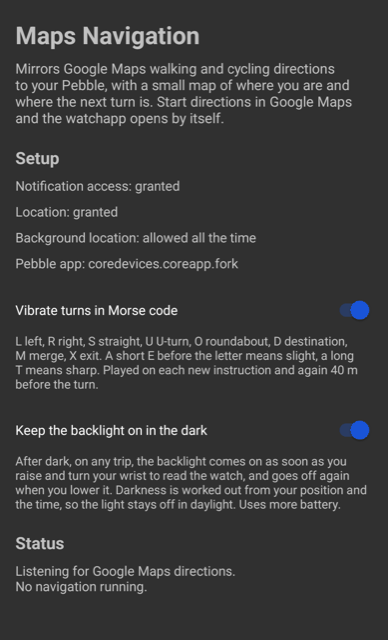
Swipe to zoom, each manoeuvre tapped out in Morse code, and after dark the backlight follows your wrist so a glance lights the screen.
Getting started
- Install the watchapp from the Rebble store, or sideload the pbw from a release.
- Install the companion APK from the latest GitHub release on the phone paired with your watch.
- Give it notification access, so it can read the Google Maps notification, and location, set to allow all the time so it keeps working with Maps in front.
- Start walking or cycling directions in Google Maps. The watchapp opens by itself.
Full setup notes, the protocol and the design are in the documentation.
Good to know
| Watch | Built for the Pebble Time 2 and its touchscreen. Other Pebbles are not supported. |
|---|---|
| Phone | Android 8 and later. iOS sandboxes notifications, so it cannot work there. |
| The line | An estimate. The turn arrow and the distance are Google's and always right, the drawn route is reconstructed from the road network. |
| Data | Map tiles come from OpenFreeMap. Nothing about your position leaves the phone except the tile requests. |
| Battery | Rendering and GPS run on the phone. The watch spends power of its own only while you are zooming or while it is watching for your wrist after dark. |